
n8n Intgration guide
Our verified community node handles authentication, file conversion, and API communication automatically.
No manual HTTP configuration, no Base64 encoding – just connect and go.
Prefer to watch? Here's the full setup from pipeline creation to a working n8n workflow in one video:
▶ Watch: Automate Document Data Extraction in n8n – The Easy Way (Full Setup Guide)
Step 1: Install the Community Node
The node is verified, so it's available on n8n Cloud out of the box – just search for "easybits Extractor" in the node panel and start using it. No installation needed.
If you're on a self-hosted instance, go to Settings → Community Nodes → Install and enter:
@easybits/n8n-nodes-extractor
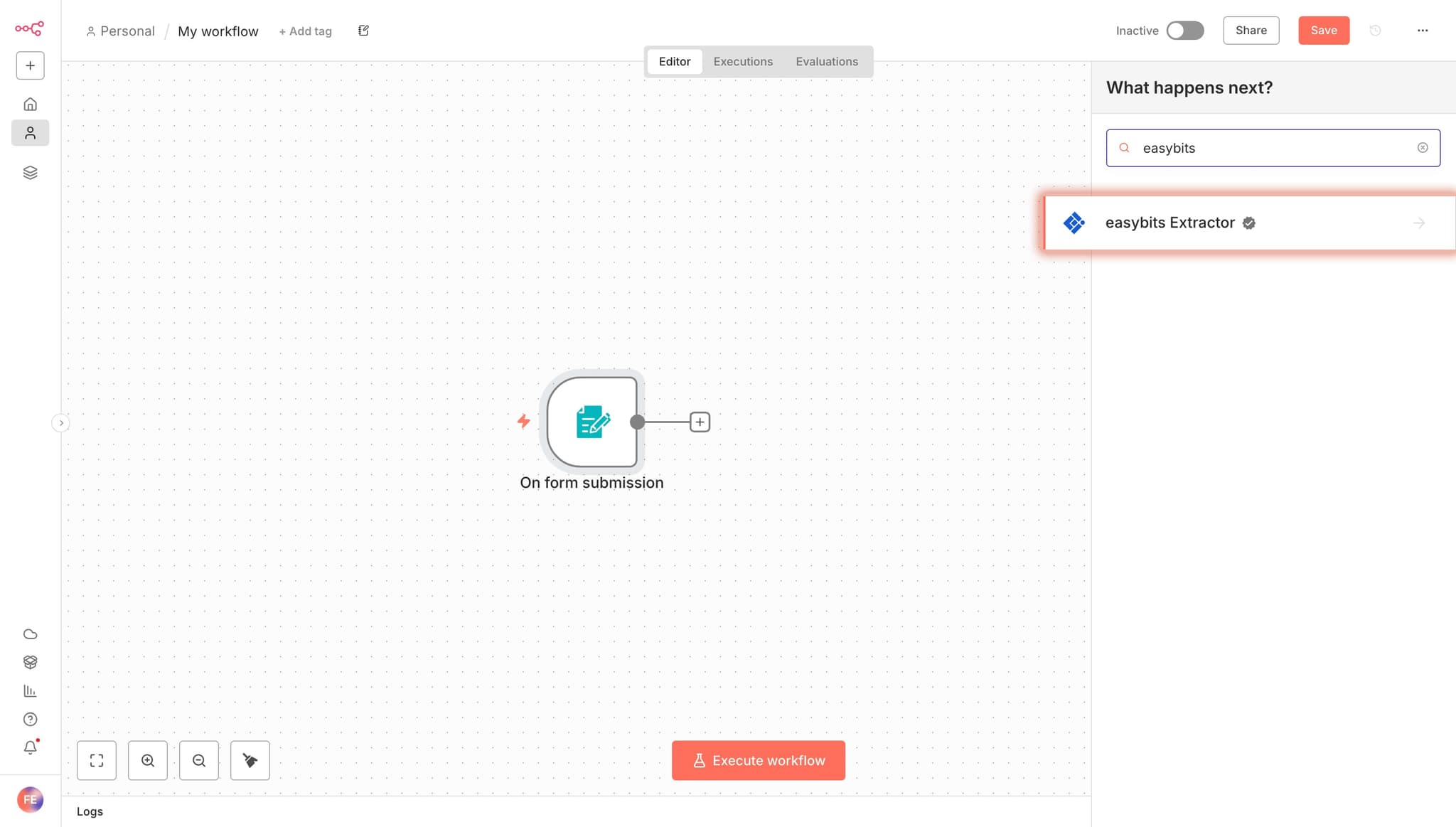
Step 2: Add the easybits Extractor Node to Your Workflow
Search for "easybits Extractor" in the node panel and add it to your workflow.
Step 3: Configure the Node
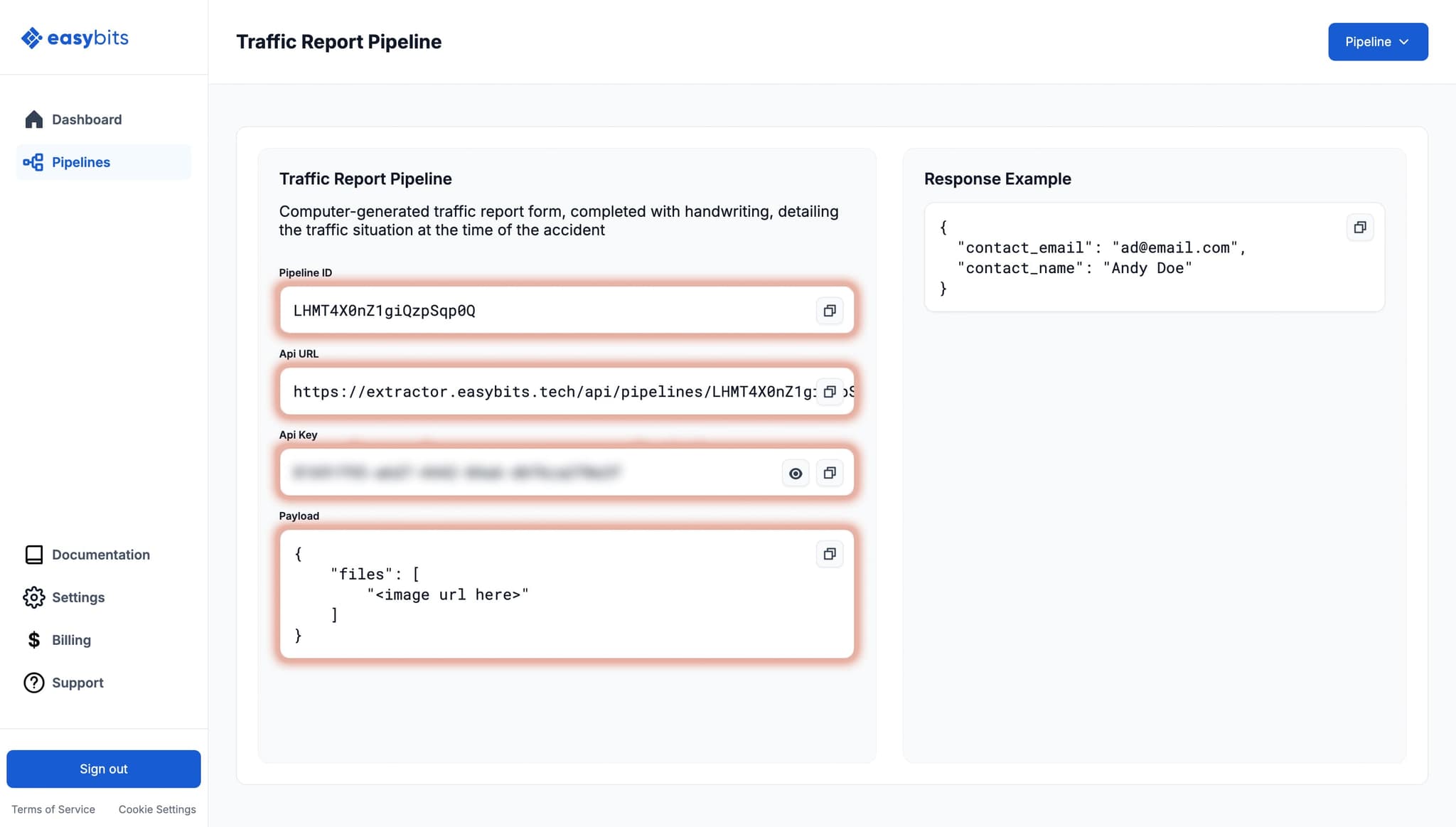
You only need two values from your pipeline details page in the Extractor app:
| Property | Value |
|---|---|
| Pipeline ID | [YOUR_PIPELINE_ID] |
| API Key | [YOUR_PIPELINE_API_KEY] |
The node also has an Input Type setting with three options:
- Binary Files (default) – reads binary file attachments directly from the previous node. This is the right choice for most workflows.
- Data URLs – use this if your data is already available as a pre-encoded Base64 Data URL in a JSON field (e.g. when a previous node has already converted the file).
- Auto (Both) – collects both binary attachments and Data URLs from the input, useful if your workflow handles a mix of both.
In most cases, you can leave this on Binary Files and the node handles everything automatically.
Step 4: Connect It to Your Workflow
The easybits Extractor node accepts input from any upstream node that provides a file, for example:
- A Telegram Trigger with "Download" enabled (for receipt/invoice photos)
- A Gmail Trigger with attachments
- An n8n Form with a file upload field
- An HTTP Request that fetches a document from a URL
The node sends the file to your pipeline and returns the extracted data as JSON under json.data, following the schema you defined in your pipeline mapping.
Response Format
{
  "data": {
    "invoice_no": "extracted value"
  }
}
The response follows the exact structure (schema) defined in your pipeline mapping.
Sending Multiple Documents
You can send several files in a payload, but keep in mind that all of them will be treated as one document. Uploading multiple different documents can lead to inaccurate extraction and unreliable results.
- Good: Multiple images, each image is a single page of the same document.
- Bad: Multiple images, each image is a separate document you want to extract information from.
Using Your Pipeline via HTTP Request
Every pipeline also exposes a REST API endpoint, so you can use it directly with an HTTP Request node in n8n or integrate it into any other app. Send a POST request to https://extractor.easybits.tech/api/pipelines/[YOUR_PIPELINE_ID] with your API key as a Bearer token. The API accepts image files (.png, .jpeg) and PDF documents (.pdf), either as a URL or as a Base64 Data URL.
Example cURL request:
curl -X POST https://extractor.easybits.tech/api/pipelines/YOUR_PIPELINE_ID \
  -H "Authorization: Bearer YOUR_API_KEY" \
  -H "Content-Type: application/json" \
  -d '{
    "files": [
      "https://example.com/invoice-page1.pdf"
    ]
  }'
Example Workflows
Don't want to start from scratch? Import one of our ready-to-use workflow templates from the n8n community library and adapt it to your own pipeline.
Classify invoices and route them to Google Drive with easybits and Slack
Upload invoices via an n8n web form, classify them with easybits Extractor, and automatically route each document into the correct Google Drive folder. Low-confidence classifications get flagged for manual review via Slack.
Classify and route email attachments with easybits, Gmail and Google Drive
The same classification logic, but triggered automatically by incoming Gmail messages. Attachments are extracted, classified, and routed without any manual upload step.
Send invoice approval requests to Slack using easybits Extractor
Turn your invoice approval process into one Slack button. Incoming invoices are parsed by easybits, then sent to the right approver with Approve / Reject / Flag buttons. Results are logged to Google Sheets automatically.
Benchmark invoice data extraction accuracy with easybits
Test your extraction pipeline against a ground-truth dataset and get a per-field accuracy score. Useful for validating a pipeline before moving it into production, or for comparing mapping changes.
▶ Watch: Stress Testing n8n Document Data Extraction – n8n & easybits Extractor Workflow